
The monthly monitoring price is only part of the cost
A home security system can combine equipment, installation, software and a recurring monitoring contract.
That means a low advertised monthly rate does not necessarily show the full cost. Cameras, extra sensors, installation, video storage, equipment financing and cancellation charges can all affect what you pay.
Before signing, separate the equipment from the monitoring service. Then compare what you own, how long you are committed, how alerts are handled and what happens if you cancel or move.
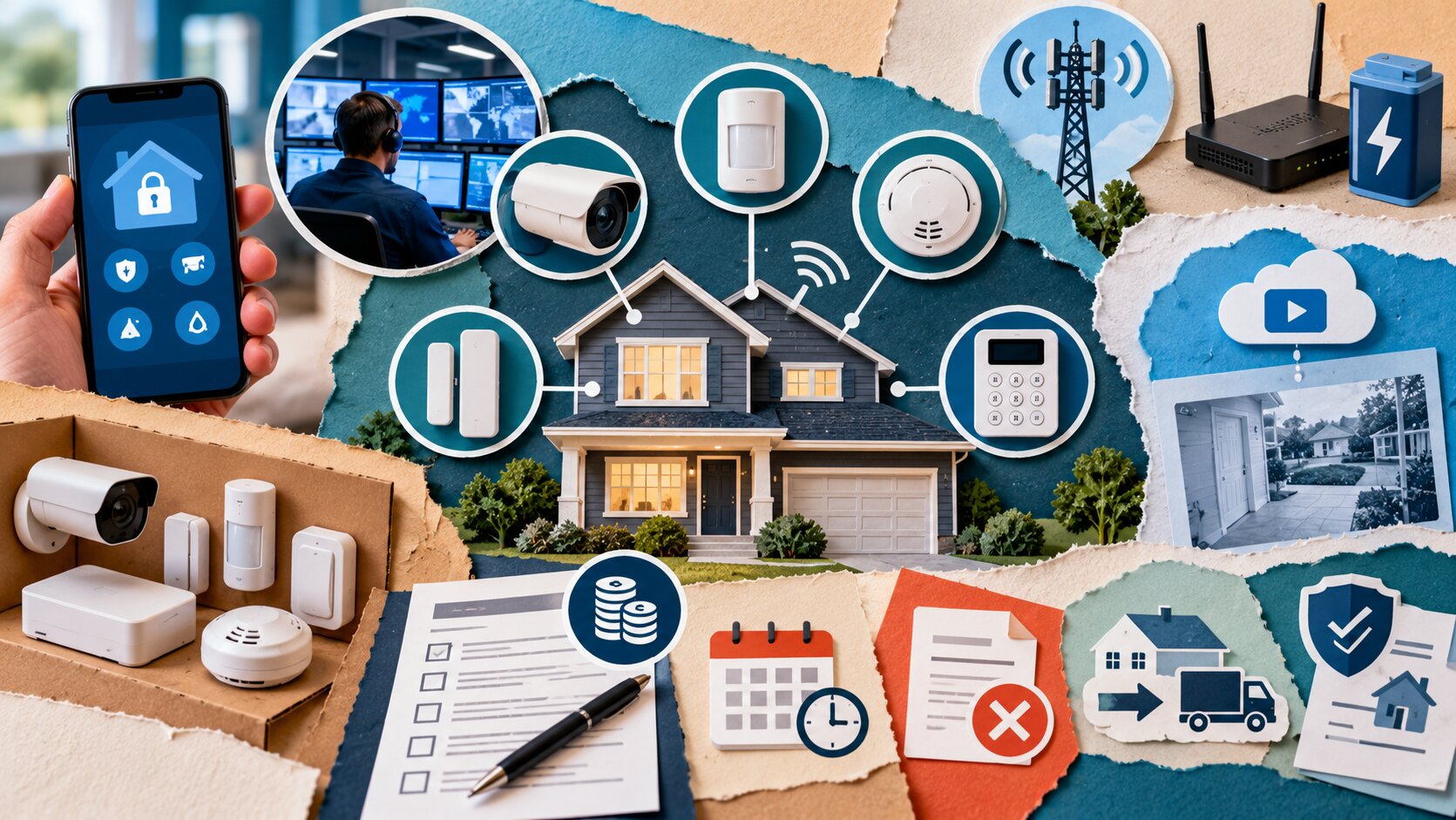
What to check at a glance
- Best for: Consumers comparing professionally monitored or self-monitored home security systems.
- What this covers: Equipment, installation, monitoring, contracts, cancellation, moving, false alarms, privacy and backup systems.
- What this does not cover: A ranking of security companies or a guarantee that an alarm system will prevent burglary or guarantee emergency response.
- Main caution: Monthly billing does not necessarily mean month-to-month service.
- When to get professional help: Contact the provider, local municipality, insurer or provincial consumer-protection authority when contract, alarm-registration or insurance requirements are unclear.
Decide what you actually need
Start with the household problem you are trying to address.
Possible goals include:
- door and window monitoring;
- intrusion alarms;
- smoke or carbon-monoxide monitoring;
- water-leak detection;
- security cameras;
- remote notifications;
- professional monitoring.
A household that wants simple door alerts may not need the same package as one that wants cameras, environmental sensors and 24-hour professional monitoring.
Separate useful features from attractive extras
Ask:
Would I still pay for this feature if it were sold separately?
If not, it may not deserve much value in your comparison.
Separate equipment from monitoring
Home security can involve several different transactions:
- buying equipment outright;
- financing equipment;
- renting equipment;
- paying for installation;
- subscribing to monitoring.
Those costs should not be blended together.
A promotion describing equipment as free may depend on signing a longer monitoring contract or accepting another condition.
Ask who owns everything
For each major component, confirm whether you:
- own it immediately;
- own it after financing is complete;
- rent it;
- must return it when service ends.
This matters when comparing two systems with similar monthly prices.
Calculate the real first-year cost
Use the total cost rather than monthly monitoring alone.
| Cost | Provider A | Provider B |
|---|---|---|
| Equipment | C$___ | C$___ |
| Installation | C$___ | C$___ |
| Monthly monitoring | C$___ | C$___ |
| Video storage | C$___ | C$___ |
| Required add-ons | C$___ | C$___ |
| Other charges | C$___ | C$___ |
| Estimated first-year total | C$___ | C$___ |
Then calculate what the service would cost in later years after introductory pricing or equipment promotions end.
Put verbal promises in writing
General Canadian consumer guidance recommends reading contracts carefully and ensuring important promises made by a salesperson appear in the written agreement.
If you were promised:
- free installation;
- a specific monthly rate;
- free relocation;
- waived equipment cost;
make sure the contract reflects it before signing.
Understand the contract term
Check whether the monitoring agreement is:
- month-to-month;
- fixed for one year;
- fixed for several years;
- open-ended after an initial term.
Do not assume recurring monthly payments mean you can leave after any month without consequences.
Ask:
- When does the term begin?
- When does it end?
- Does it renew?
- Can the monthly price change?
- What notice is required to stop service?
Check cancellation before signing
Learn how to leave the service before you join it.
Ask:
- Can I cancel at any time?
- Is there an early-cancellation charge?
- Is the remaining equipment balance still due?
- Must cancellation be written?
- Is advance notice required?
- What happens to rented equipment?
Canadian consumer rights vary by province.
Quebec example
Quebec has specific rules for remote alarm-monitoring contracts.
Its consumer-protection office says consumers can terminate remote-monitoring service contracts, although cancellation charges may apply depending on the contract structure.
For certain fixed-term contracts where no discount was given on essential equipment, Quebec limits the applicable cancellation fee to the lower of:
- C$50; or
- 10% of the price of services that remain unprovided.
Different calculations can apply when the customer received discounted equipment.
Those are Quebec rules, not Canada-wide rules.
Door-to-door contracts can have additional protections
Quebec also provides a 10-day cancellation period for certain alarm-monitoring contracts concluded with an itinerant merchant, such as qualifying door-to-door sales.
Check the consumer-protection rules in your province or territory rather than assuming the same cooling-off period applies everywhere.
Know what happens if you move
A monitoring contract can outlast your time in the home.
Ask before signing:
- Can I transfer the system to another address?
- Does relocation cost extra?
- Is new installation required?
- Does moving restart the contract term?
- What if the provider cannot service the new address?
- What happens to installed equipment?
Do not rely on a salesperson saying that moving is "easy."
Get the relocation terms in writing.
Understand professional monitoring
Professional monitoring generally adds another step between an alarm event and your response.
A simplified process may look like:
sensor triggers → monitoring centre receives signal → alert is assessed or verified → contacts are attempted → emergency services may be contacted when appropriate
The exact sequence depends on the provider, alarm type and local requirements.
An alarm does not guarantee police response
Do not assume every alarm automatically results in emergency dispatch.
The service may use:
- phone verification;
- app verification;
- contact lists;
- video or audio information;
- other alarm-confirmation procedures.
Ask how your provider handles different types of alarm events.
Check alarm verification procedures
Before signing, ask:
- Who is contacted first?
- How many contacts are attempted?
- What happens if nobody answers?
- Can I cancel a false alarm through the app?
- Are different procedures used for fire, intrusion and medical alerts?
- Does video verification affect the process?
Also keep emergency-contact information current after installation.
Outdated phone numbers can make alarm verification more difficult.
Look for local permit and false-alarm rules
Alarm rules can be municipal.
Do not assume one national system exists.
Vancouver example
The City of Vancouver currently requires a valid security-alarm permit for home or business security alarm systems and requires annual renewal.
Vancouver also warns that an invalid permit can affect police response and alarm-company service.
Its current false-alarm system provides a warning after two false alarms within a 12-month period and can suspend a permit after three or more during that period.
That is a Vancouver rule, not a Canada-wide requirement.
Check before installation
Ask your municipality:
- Is alarm registration required?
- Is there an annual fee?
- Are false-alarm charges possible?
- Can repeated false alarms affect emergency response?
Do not assume the security company handles registration unless the contract specifically says so.
Check internet, cellular and power backup
Modern alarm systems may depend on several connections.
Ask what happens if:
- home internet stops working;
- electricity fails;
- cellular service is unavailable;
- the router is disconnected.
Check for battery backup
Ask:
- Which devices have batteries?
- How long are they expected to operate?
- How will I know when a battery needs replacement?
- Who replaces it?
Check cellular backup
Professional monitoring may use cellular backup when the home's internet connection fails.
Confirm whether:
- it is included;
- it costs extra;
- all system features continue to work.
Do not assume backup monitoring means cameras will continue operating exactly as usual during an internet or power outage.
Understand video storage
If cameras are included, check the storage arrangement separately.
Ask:
- Is video recorded continuously or only after events?
- How long are recordings kept?
- Is cloud storage included?
- Does longer retention cost extra?
- Can recordings be downloaded?
- What happens to stored video after cancellation?
A camera that provides live viewing only is different from one that stores recorded events.
Review privacy and account security
Connected security devices can collect information about your home and daily activity.
The Office of the Privacy Commissioner of Canada specifically includes security systems among connected smart devices that can create privacy risks.
Its guidance recommends reviewing what information the device collects and how that information is used or shared before purchasing it.
Protect the account
Use:
- a unique password;
- strong account credentials;
- multi-factor authentication where available;
- only the remote-access features you actually need.
The Privacy Commissioner also recommends limiting personal information provided during registration and disabling remote-access functions you do not need.
Cameras need extra thought
Consider what the camera can see or hear.
Avoid casually capturing:
- neighbours' private spaces;
- areas where household members reasonably expect privacy;
- unnecessary indoor audio or video.
Review the provider's privacy terms before enabling cloud recording.
Know what works after cancellation
A security system may not have the same functionality once professional monitoring ends.
Ask before buying:
- Will door and window sensors still work locally?
- Will the alarm siren still operate?
- Will camera live view remain?
- Does the mobile app still work?
- Will recorded video remain accessible?
- Can another monitoring company use the equipment?
This can materially affect the value of equipment you are buying.
A cheaper system may be poor long-term value if most useful functions disappear after cancellation.
Check insurance discounts directly
Some consumers buy monitored security partly because they expect a home-insurance discount.
Do not assume one.
Contact your insurer before using a possible discount in the cost calculation.
Ask:
- Does this type of system qualify?
- Does professional monitoring need to meet particular requirements?
- Is documentation needed?
- What is the actual discount on my policy?
Use the discount your insurer confirms, not a marketing estimate from the security company.
Compare self-monitoring with professional monitoring
Neither option is automatically best.
Self-monitoring
You typically receive alerts and decide what to do.
Potential advantages:
- lower recurring cost;
- fewer contract obligations;
- more direct control.
Potential drawbacks:
- you must notice and respond to alerts;
- another person may need access when you are unavailable.
Professional monitoring
A monitoring centre receives alarm signals and follows defined procedures.
Potential advantages:
- alerts can be handled even when you are unavailable;
- central monitoring can provide another response layer.
Potential drawbacks:
- recurring fees;
- contracts;
- cancellation considerations;
- possible municipal requirements.
Choose based on the service you want rather than assuming more monitoring is always better.
Build your security-system scorecard
| Decision factor | Provider A | Provider B |
|---|---|---|
| Equipment ownership | ___ | ___ |
| Equipment cost | C$___ | C$___ |
| Installation | C$___ | C$___ |
| Monthly monitoring | C$___ | C$___ |
| Contract length | ___ | ___ |
| Cancellation terms | ___ | ___ |
| Moving terms | ___ | ___ |
| Cellular backup | ___ | ___ |
| Battery backup | ___ | ___ |
| Video storage | ___ | ___ |
| Local permit checked | ___ | ___ |
| Functions after cancellation | ___ | ___ |
| Overall fit | ___ | ___ |
Before signing a monitoring contract
Run through this checklist:
- What security problem am I trying to solve?
- Which equipment am I buying, financing or renting?
- What is the complete first-year cost?
- What does the service cost after promotions end?
- How long is the monitoring contract?
- Does it renew automatically?
- What does cancellation cost?
- What happens if I move?
- How does alarm verification work?
- Are permits or registration required where I live?
- Can false alarms result in fees or suspended response?
- Does the system have cellular and battery backup?
- How long is camera footage stored?
- Who can access my recordings and account data?
- What still works after I cancel monitoring?
- Has my insurer confirmed any security-system discount?
A home security system is both equipment and a service relationship.
Compare those pieces separately.
Understand what you own, calculate the full cost, read the cancellation and moving terms, check your municipality's alarm rules and decide whether professional monitoring provides enough additional value for the recurring commitment.
Security marketing often focuses on the moment an alarm goes off. The better purchasing decision starts much earlier - with the contract.
Frequently asked questions
Is home security equipment included in the monitoring fee?
Not always. Equipment may be purchased, financed, rented or discounted in exchange for a monitoring commitment. Ask how each component is being paid for.
Does paying monthly mean the alarm contract is month-to-month?
No. A multi-year monitoring agreement can still collect monthly payments.
Can I cancel a home security contract early?
Usually you can terminate service, but cancellation charges may apply depending on the contract and provincial law. Quebec, for example, has specific statutory limits for remote-monitoring cancellation fees.
Do I need a permit for a home alarm system in Canada?
It depends on the municipality. Vancouver currently requires an annually renewed security-alarm permit, while other communities may use different rules.
Can false alarms affect police response?
They can in some municipalities. Vancouver, for example, can suspend a permit after repeated false alarms within a specified period.
Will my security system work if the internet goes down?
It depends on the system. Some use cellular backup and batteries, but not every feature necessarily continues to function.
Can security cameras create privacy risks?
Yes. Canada's Privacy Commissioner notes that connected security systems can collect and share personal information. Review privacy settings, account security and data-sharing practices.
Will home insurance be cheaper if I install an alarm?
Possibly, but do not assume it. Ask your insurer whether the particular system qualifies and what discount, if any, applies.
By: Yocahu Canada
Last updated: 2026-10-15
Disclosure: This article provides independent consumer information. No affiliate or sponsored relationship is identified for this article.
Important scope note
This article provides general consumer information, not individualized legal, insurance, security or privacy advice. Alarm-contract rules and municipal registration requirements vary by province, territory and municipality. Verify the agreement and local rules that apply to your home.
References
- Financial Consumer Agency of Canada, Before You Sign Any Contract, general Canadian guidance on reading contracts, written promises, cooling-off rights and cancellation. https://www.canada.ca/en/financial-consumer-agency.html
- Office de la protection du consommateur du Québec, Alarm Systems and Remote Monitoring Contracts, Quebec-specific rules covering monitoring contracts, cancellation, equipment and renewal. https://www.opc.gouv.qc.ca/en/consumer/good-service/housing-renovation/alarm/advice
- City of Vancouver, Security Alarm Permits and False Alarms, Vancouver-specific alarm permit, renewal and false-alarm requirements. https://vancouver.ca/home-property-development/get-an-alarm-permit.aspx
- Office of the Privacy Commissioner of Canada, Smart devices and your privacy, Guidance on privacy risks and safeguards for connected devices, including home security systems.
Post a Comment